

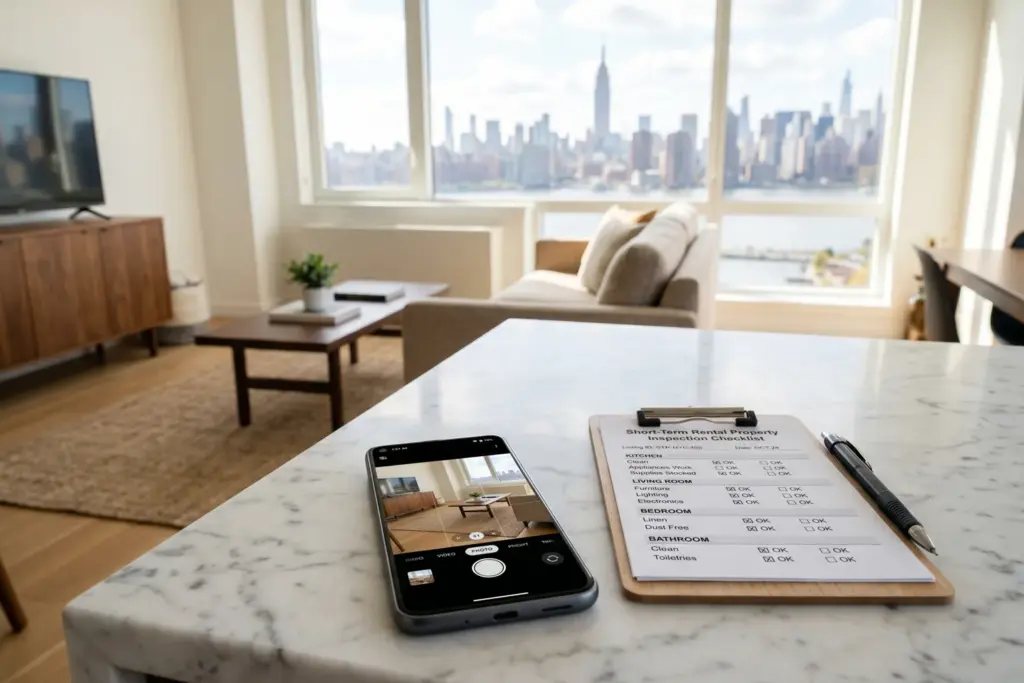
Key Takeaways
- Airbnb’s April 20, 2026 Terms of Service update bans all AI-generated, AI-enhanced, or synthetic media as evidence in AirCover damage claims and dispute resolution.
- The policy change was triggered by a Manhattan superhost case where AI-fabricated damage photos were used to pursue $16,000 in fraudulent claims against a guest.
- The new “Legitimate and Verifiable Evidence” standard requires original, unaltered photos with timestamp and location metadata enabled.
- Claims filed after April 20 that include AI-processed images risk automatic rejection, even if the enhancement was well-intentioned.
- Every host needs a documentation system now: timestamped native photos, walkthrough videos, contractor invoices, and purchase receipts.
Airbnb’s April 20 Terms of Service update made headlines for its account re-acceptance deadline. But if you missed the fine print, there is a second provision that changes how hosts document property damage. And if you are a host who files damage claims (or ever might), this one matters more.
Starting April 20, 2026, Airbnb will not accept AI-generated, AI-enhanced, or synthetic content as evidence in any AirCover damage claim. Photos run through enhancement filters, upscalers, or AI cleanup tools? Inadmissible. The rule applies to hosts and guests alike.
This did not come out of nowhere. It came out of Manhattan.
The Manhattan Case That Rewrote the Rules
In August 2025, a London-based academic booked a Manhattan one-bedroom for a two-and-a-half month stay. She left after seven weeks, citing safety concerns in the neighborhood. Then her inbox exploded.
The host, a verified superhost, filed an AirCover claim alleging $16,000 in damages. The list was extensive: a cracked wooden coffee table, a urine-stained mattress, a broken robot vacuum, and damage to the sofa, microwave, TV, and air conditioner.
Airbnb reviewed the submitted photos and initially sided with the host. The platform demanded over $7,000 from the guest.
But the guest did something most people would not think to do. She compared the photos side by side. And she found something impossible.
The same crack in the coffee table appeared in different positions across different images. The wood grain shifted between shots. The patterns moved.
In real photography, a crack in wood does not relocate. In AI-generated images, it does. Engineers call this a failure of “object permanence,” which is a simple concept: the software recreates objects slightly differently each time it generates an image. The AI did not remember where it put the crack.
After The Guardian investigated and contacted Airbnb, the platform reversed course within five days. The claim was dropped. The guest received a full booking refund. The host received a warning but was not removed from the platform.
What the New Terms Actually Say
The updated Host Damage Protection Terms introduce a formal concept called “Legitimate and Verifiable Evidence.” The language is direct. Evidence submitted in support of a damage claim “must not include AI-generated content.”
The scope is wider than most hosts expect. “AI-generated” does not just mean fully synthetic images created from text prompts. The ban covers four categories:
- AI-generated photos or video (images created entirely by AI tools)
- AI-enhanced photos (noise reduction filters, detail reconstruction, smart sharpening)
- AI-upscaled images (enlarging photos using machine learning)
- Synthetic material of any kind (digitally altered or fabricated documentation)
Here is the part that will catch well-intentioned hosts off guard. If you ran a dark checkout photo through an AI brightening filter to make the damage more visible, that image can now be rejected. The intent does not matter. The processing does.
The ban applies equally to both sides of a dispute. If a guest submits AI-manipulated photos to challenge your damage claim, those images are also invalid.
Why This Ban Was Inevitable
I spend a lot of time testing what AI image tools can actually do. I dig into the model specs. I read the release notes. And I will tell you directly: the fake damage photo problem was going to get much worse before Airbnb acted.
Airbnb’s own research found that nearly two-thirds of British respondents struggle to tell AI-generated property images from real ones. More than a third of people mistake AI fakes for genuine photos. Those numbers were published before the latest generation of image models shipped.
The detection gap is widening, not closing.
The tools to fabricate damage photos are free, fast, and available on every smartphone. A motivated bad actor can create convincing damage images in under five minutes using apps that require zero technical skill. The old evidence standards were built for a world where faking photos required Photoshop expertise and hours of work. That world is gone.
So Airbnb wrote a new rule before the problem scaled. Whether enforcement matches the ambition remains an open question. But the policy itself was overdue.
What Documentation Airbnb Will Accept
Under the new “Legitimate and Verifiable Evidence” standard, here is what qualifies for airbnb damage claim documentation in 2026:
Original, unaltered camera files. Photos taken with your smartphone’s built-in camera app. No filters. No processing. No enhancement software of any kind.
Timestamped photos with location metadata. Keep your phone’s location services and date/time stamp enabled when photographing your property. This metadata proves when and where the photo was taken. It is your first layer of defense against a rejected claim.
Walkthrough videos. Video is significantly harder to fake than still images. A continuous walkthrough recorded on your phone before and after each guest creates a visual chain of evidence that is nearly impossible to fabricate.
Contractor invoices and repair estimates. Written quotes from licensed contractors or repair professionals documenting the cost to fix specific damage. These tie your visual evidence to actual dollar amounts.
Purchase receipts. Original receipts for damaged items showing when you bought them and what you paid. These establish replacement value.
Police reports. For severe damage or theft, a police report creates an independent third-party record that supports your claim.
What will NOT pass: photos processed through enhancement filters, AI noise-reduction tools, resolution upscalers, background replacement apps, or any software that uses machine learning to modify the image.
What Every Host Should Do Right Now
Here is a practical checklist for protecting yourself under the new airbnb damage claim evidence requirements. Print it or bookmark it. These steps protect you the next time you need to file a claim.
1. Stop using AI image enhancement on damage photos. If you have been running checkout photos through cleanup filters, brightening tools, or upscalers, stop today. Use your phone’s native camera app. Submit photos exactly as taken.
2. Turn on timestamp and location metadata. On iPhone: Settings > Privacy & Security > Location Services > Camera > set to “While Using.” On Android: open Camera > Settings > enable “Location tags.” This bakes verification data into every photo automatically.
3. Photograph before every check-in and immediately after every checkout. Build a before-and-after visual record for every guest. Walk through the entire property. Photograph every room, every surface, every appliance. Do this consistently. Not just when something looks wrong.
4. Record a walkthrough video. Supplement your photos with a continuous video walkthrough. Start at the front door. Work room by room. Narrate the date and any notable conditions. Video provides context that static photos cannot.
5. Keep contractor invoices and purchase receipts organized. Maintain a folder (digital or physical) of receipts for every piece of furniture, every appliance, every fixture in your property. When you replace or repair something, keep the invoice. This paper trail establishes value and supports your claim.
6. Save everything to cloud storage immediately. Upload your documentation to Google Drive, iCloud, or Dropbox right after each checkout. Cloud storage creates an independent timestamp that supports your claim timeline.
7. File claims within the 14-day window. Airbnb requires damage claims within 14 days of checkout or before the next guest checks in, whichever comes first. Miss this deadline and your evidence quality does not matter. The claim dies automatically.
If you use digital welcome books or guest guide tools, those can also help establish your property’s baseline condition before each stay. A well-documented property is a well-protected property.
The Bigger Picture for Airbnb Host Protection in 2026
This AI evidence ban is one piece of a larger shift in how Airbnb manages trust on the platform. The same April 20 update brought back AAA arbitration for U.S. disputes, added new smoke odor and consumables rules, and expanded recommendation system transparency.
If you already accepted the updated terms (and if you are still hosting on Airbnb, you did), then you already agreed to this ban. The question is whether you adjusted your documentation practices to match.
Airbnb’s payout withholding policies already give the platform significant leverage over hosts. Adding an AI evidence ban on top of payout freeze authority means your documentation is now your single most important asset. Treat it that way.
The technology that created this problem is not going away. AI image generation will get better, faster, and cheaper every quarter. Airbnb moved first, but every major platform will follow. Vrbo, Booking.com, and every marketplace that handles damage disputes will write similar rules within the next 12 months.
The hosts who build airtight documentation habits today will be ready. The ones who wait will learn the hard way.
Sponsored — OfferMarket
Buy Your First STR With Long-Term Rental Financing
Flexible, long-term financing for short-term rental buyers. Rates from 5.75%. Instant online quote, no credit pull.
Explore RTL Financing Options →Affiliate disclosure: StaySTRA may earn a referral fee.
We do our best to keep our tech reviews accurate and up to date, but products evolve fast and we are only human. Always verify current features and pricing directly with vendors before purchasing.
Frequently Asked Questions
Can I use basic photo editing like cropping on my damage photos?
Airbnb’s ban targets “AI-generated, AI-enhanced, upscaled, or synthetic material.” Manual adjustments like cropping or rotating likely fall outside the ban because they do not use artificial intelligence. But any tool that uses AI or machine learning to modify the image could trigger rejection. The safest approach is to submit photos exactly as your camera took them.
Does the AI evidence ban apply to guests filing complaints too?
Yes. The “Legitimate and Verifiable Evidence” standard applies to both hosts and guests. If a guest submits AI-manipulated photos to support a complaint or dispute your damage claim, those images are equally invalid under the updated terms. The rule is symmetrical.
What happens if Airbnb rejects my legitimate photos as AI-generated?
Airbnb has not published details about its detection methods or its appeals process for evidence flagged as AI. If your claim is rejected, escalate through the Resolution Center and request human review. Backup documentation like video walkthroughs, contractor invoices, and purchase receipts strengthens any appeal because those formats are harder to fabricate.
I already accepted the April 20 Terms of Service. Am I bound by the AI evidence ban?
Yes. By accepting the updated Terms, you agreed to all provisions including the AI evidence ban in damage claims. This applies to any AirCover claim filed on or after April 20, 2026. There is no opt-out for individual provisions.
How does Airbnb detect AI-generated images in damage claims?
Airbnb has not disclosed its specific detection methods. AI-generated images often fail at “object permanence,” meaning objects appear inconsistently across multiple images. They can also contain artifacts in fine details like text, reflections, or repeating patterns. The Manhattan case was caught because a crack appeared in different positions across photos. Metadata analysis (checking whether the image file contains standard camera data) is another common detection method.
Become a StaySTRA Insider
Join free — get our newsletter + 1 free property analysis/month.
No spam. Unsubscribe anytime. Free membership includes property analyses and market insights.