

Key Takeaways
- Airbnb requires hosts to disclose whether smoke and CO detectors are present. Local fire codes make them functionally mandatory in most markets regardless.
- The new listing algorithm boost is real but weaker in 2026. Your first 30 days of booking data permanently shapes your search ranking.
- Price 10 to 20 percent below comparable Superhosts at launch. Raise to market rate after 10 reviews and a 4.8-star average.
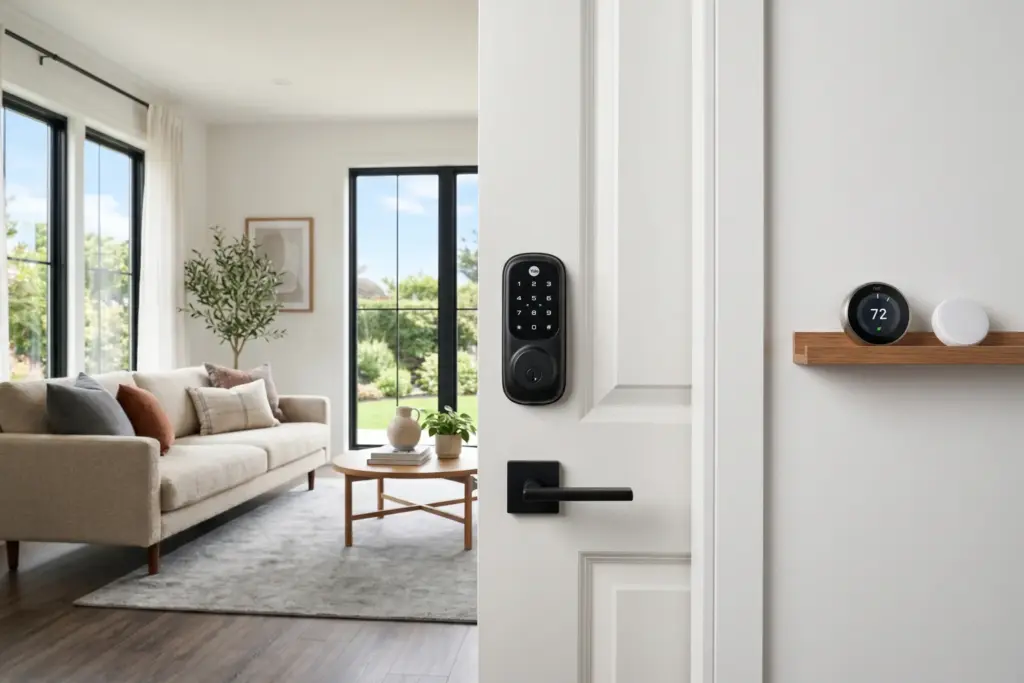
- Smart locks with native Airbnb integration automate guest access codes and eliminate manual key handoffs, consistently earning top check-in ratings.
- Photography is your highest-ROI setup task. Listings with professional photos earn up to 40 percent more revenue and get booked 24 percent more often.
Airbnb’s algorithm now evaluates new listings within days of going live, not weeks. The first bookings you receive create performance data that shapes your search ranking for months. Launch with wrong pricing, dim phone photos, and no automated check-in, and you burn that window on bad signals. The algorithm remembers.
I track platform mechanics pretty obsessively. Airbnb is moving fast right now. The platform shipped major changes in 2025. The AI-powered discovery tools it announced in 2026 are going to raise the bar on listing quality even further. Getting set up correctly today means you are positioned for where the platform is heading, not just where it is. What follows is the full technical checklist: safety requirements, account creation, photography, listing mechanics, pricing, smart home tech, and the first 30 days. In order. Nothing skipped.
Before you even open the Airbnb app, you need to do the groundwork. That means permits, insurance, and safety equipment. Getting this wrong after you launch is far more painful than doing it now.
Step 1: Before You List (Permits, Insurance, and Safety Equipment)
Check Your Local STR Permit Requirements
Short-term rental rules vary dramatically by city and county. Some markets require a permit before your first night. Others require nothing but have started adding fees mid-year. A few cities actively pull listings that operate without a license.
Before you do anything else, search your city name plus “short-term rental permit 2026.” Look for the city or county government page, not a blog post. Confirm whether you need a license, what the fee is, how long it takes, and whether your property type and zone qualify. Some HOAs also prohibit STRs entirely. Check your CC&Rs.
Florida hosts who rent more than three times per year for stays under 30 days need a state DBPR vacation rental license. Texas has no statewide requirement, but Houston, Austin, and Dallas all have local registration systems. California is city-by-city with active permit requirements in most major markets. When in doubt, call your city’s business licensing office directly.
If you are still choosing your market, the StaySTRA Analyzer shows permit complexity alongside revenue data so you can compare markets before you commit. And if you are still in the financing phase, the STR Financing Guide 2026 covers how DSCR loans work for vacation rental properties.
Get Short-Term Rental Insurance
AirCover is not short-term rental insurance. Airbnb’s host protection covers guest-caused damage claims up to $3 million and liability up to $1 million. What it does not cover: structural damage, wear and tear, disputes Airbnb rejects, and incidents that happen between guests.
Providers like Proper Insurance, Steadily, and Safely offer STR-specific policies designed to fill those gaps. Your standard homeowner policy almost certainly excludes STR activity. STR premiums have risen 20 to 40 percent nationally since 2023, so shop early and get quotes from multiple providers before you go live.
Safety Equipment Requirements
Airbnb’s official policy requires hosts to disclose whether smoke alarms, carbon monoxide detectors, fire extinguishers, and first aid kits are present or absent at the property. Airbnb does not enforce specific equipment requirements itself, but it warns guests at booking when a host has not confirmed this equipment exists.
Local fire codes create the real mandate. Most state and municipal fire codes require smoke alarms in bedrooms and common areas and CO detectors on each floor in homes with gas appliances or attached garages. That makes these devices functionally mandatory for virtually every host regardless of what Airbnb’s help center says.
Maryland passed the first statewide STR safety law in 2026, requiring smoke alarms, CO detectors, and fire extinguishers for all licensed STR properties. Other states are watching. Install them regardless of your state’s current requirements.
Airbnb has run a free smoke and CO detector program for eligible hosts since 2014. Check your host dashboard under the “protections” section to see if you qualify for a free combo unit.
Minimum safety equipment checklist before launch:
- Smoke alarm in each bedroom and on each floor
- CO detector on each floor (required in homes with gas appliances or attached garages)
- Fire extinguisher in the kitchen
- First aid kit visible to guests (bathroom or kitchen cabinet)
- Emergency contact information posted in the unit
Step 2: Create Your Airbnb Host Account
Setting up your Airbnb host profile takes about an hour. Airbnb requires government ID verification before you can accept bookings. Have a driver’s license or passport ready.
The main setup flow walks you through property type, location, guest capacity, bedroom and bathroom counts, amenities, photos, title, description, house rules, calendar, and pricing. Do not rush through the amenities section. Guests filter searches by amenities. If you have a washer, dryer, high-speed wifi, or dedicated workspace and do not check those boxes, you become invisible to guests who filter for them.
Key Settings to Get Right at Launch
Instant Book: turn it on. Listings with Instant Book rank higher in search results because Airbnb’s algorithm treats them as lower-friction options for guests. You can configure Instant Book to require guests to have verified ID and at least one completed stay before booking automatically. This gives you meaningful screening without the booking disadvantage of requiring manual approval for every reservation.
Cancellation policy: start flexible. The Strict cancellation policy was eliminated in late 2025. Your current options are Flexible (full refund up to 24 hours before check-in), Moderate (full refund up to 5 days out), Firm, and Limited. For a new listing with no reviews, Moderate or Flexible reduces guest hesitation and helps you accumulate your first bookings faster. You can tighten to Firm once you have booking history and demand proof.
One note: all stays under 28 nights now include a universal 24-hour free cancellation window when booked at least 7 days in advance, regardless of your chosen policy.
Calendar: open 90 days minimum. The algorithm rewards listings with available calendar inventory. At launch, open at least 90 days. Twelve months is better. An empty calendar is an invisible listing.
Response time target: under 1 hour. Response time is a direct ranking input. Enable Airbnb notifications on your phone. Later, once you have property management software, automated responses can handle this. At launch, respond fast manually.
AirCover for Hosts in 2026
AirCover comes standard with every Airbnb listing at no cost. As of 2026 it includes $3 million in host damage protection and $1 million in host liability insurance. The April 2026 terms update added a few important changes: AI-generated content is explicitly barred from damage claims, hosts must submit real photos and genuine receipts with timestamps, and there is a 14-day deadline to submit documentation after any damage incident.
AirCover is a strong safety net. It is not a comprehensive replacement for STR insurance. Carry a dedicated STR policy to cover the gaps.
Step 3: Photography Setup
Photography is not optional. Airbnb’s own data shows listings with professional photography earn up to 40 percent more revenue and get booked 24 percent more often than listings without it. A Carnegie Mellon University study found high-quality photography increased yearly revenue by an average of $2,455 per listing.
You do not need an expensive camera. A recent smartphone (2022 or newer), a $25 clip-on wide-angle lens, and a $30 tripod get you where you need to be. Total gear spend: under $75.
How to Stage Your Property
- Remove all clutter, personal items, and anything guests will not use
- Open every curtain and blind fully before shooting
- Turn on all lights, including lamps (layered lighting beats overhead-only)
- Add intentional props: a folded throw on the couch, towels in the bathroom, a coffee mug on the kitchen counter
- Make every bed tightly with white or light neutral linens
Shoot during the two hours after sunrise or the two hours before sunset for the most flattering natural light. Always shoot horizontal. Airbnb’s interface clips vertical photos in search results.
Minimum Shot List
Airbnb allows up to 100 photos. Your first photo (cover image) is the single most important image you will ever upload. It appears in search results. Make it your best space, fully staged, best light.
- Cover photo: living room, primary bedroom, or outdoor space at its absolute best
- Living room: 2 to 3 shots from different angles
- Primary bedroom: 2 to 3 shots
- Kitchen: 2 to 3 shots including the coffee setup
- Each additional bedroom: 1 to 2 shots
- Each bathroom: 1 to 2 shots with folded towels visible
- Outdoor space or patio: 2 to 3 shots
- Exterior and neighborhood entry: 1 to 2 shots
- Unique selling features: fireplace, view from bed, hot tub, reading nook
For a 2-bedroom property, this gets you to 20 to 30 images. That is enough. Do not pad with repetitive angles or shots of the linen closet.
Step 4: Listing Creation Mechanics
Your listing title has 50 characters. Use them to lead with your strongest feature and location. Not “Cozy 2BR Home” but “Modern Loft With Pool, 10 Min to Downtown Austin.”
Your description has two visible sections: a short summary shown first and expandable detail. Front-load your strongest facts into the summary. Most guests never tap to expand.
For the actual craft of writing a listing that converts, including title formulas, amenity framing, and what the data shows about how guests read descriptions, see the How to Write an Airbnb Listing That Gets Bookings guide.
House Rules
Keep them short and enforceable. Long rule lists signal distrust to guests and are a top source of negative reviews when rules feel unreasonable. Specify check-in and check-out times clearly. Disclose any safety devices (noise monitors, security cameras on exterior). State whether pets and smoking are permitted.
Do not ask guests to do excessive cleaning tasks when you are charging a cleaning fee. That is the single most common complaint from first-year host reviews across community forums.
Guest Communication Templates
Set up saved message templates in your Airbnb inbox before your first booking arrives. You need at minimum:
- Booking confirmation (sent automatically within minutes of reservation)
- Check-in instructions with access code (sent 48 hours before arrival)
- Day-of-arrival check-in (sent after check-in time)
- Mid-stay check-in at 24 hours
- Checkout reminder (sent night before departure)
- Review request (sent within hours of checkout)
Airbnb has basic automation built in. For a more complete system, tools like Guesty let you automate the full guest communication sequence, manage multiple calendars, and centralize messaging across platforms as you scale beyond your first listing.
Step 5: Initial Pricing Strategy (No Reviews, No Problem)
Pricing a new listing with no review history is a real challenge. Guests use reviews as social proof before committing. When you have none, price is your primary trust signal. The strategy is simple: price low enough to convert your first 10 bookings quickly, build the review base, then raise rates.
Launch Pricing Formula
Find the cheapest active listing in your market that is comparable to yours (similar bedrooms, similar location, similar amenities). Look at their booked calendar, not just their listed price. Then price 10 to 20 percent below that comparable.
Do not go more than 30 percent below market. A price that looks desperate attracts guests looking for the cheapest possible option, and those guests tend to leave lower-quality reviews. The goal is to win bookings from interested guests who are hesitant only because of the review gap, not guests who view price as a substitute for quality.
The First 30-Day Goal
Your target for the first 30 days: 5 to 10 bookings with a 4.8-star average or better. That is enough social proof to start competing with established listings. Once you hit 10 reviews and a 4.8-star rating, raise your rates to the market median and layer in weekend and seasonal premiums.
Dynamic Pricing Tools
Static pricing (one weekday rate, one weekend rate, unchanged) no longer works competitively. Airbnb’s algorithm rewards listings that update pricing in response to demand signals. Dynamic pricing tools adjust your rates automatically based on local events, booking window, day of week, and seasonal patterns.
PriceLabs, Wheelhouse, and Beyond Pricing all integrate directly with Airbnb. For a new listing, PriceLabs recommends these specific settings during launch:
- Allow 1 to 2 night minimum stays for the first 30 days to maximize booking volume
- Set early-bird discounts to encourage advance bookings
- Set last-minute discounts (0 to 7 days out) to capture spontaneous travelers and avoid vacant nights
- Set a 10 percent length-of-stay discount for 7-night bookings to attract guests who care less about review count
Airbnb’s built-in Smart Pricing is a reasonable starting point if you are not ready to invest in a third-party tool yet. It is better than a static price. Just watch the floor rate it sets and confirm it is not pricing you below your actual operating costs.
If you want to see what revenue actually looks like in your target market before setting your pricing floor, the Best Airbnb Markets 2026 guide shows occupancy, ADR, and revenue data across the top US markets using StaySTRA data.
Step 6: Smart Home and Tech Setup
The smart home stack for an STR property has three essential layers: access control, noise monitoring, and climate management. Each one solves a real operational problem. And all three integrate with Airbnb in ways that directly affect your ratings and host score.
Smart Locks: Automated Access Control
Manual key handoffs create liability. A smart lock with native Airbnb integration automatically generates a unique access code for every booking and delivers it to the guest through the Airbnb app 48 hours before check-in. No manual code management. No lockbox. No risk of a previous guest’s code still working at your property.
Three brands offer certified native Airbnb integration in the US:
- Yale Assure Lock 2 ($200 to $280): The most widely deployed smart lock in the STR community. Reliable, straightforward Airbnb integration, Wi-Fi connected.
- Schlage Encode Plus ($280 to $330): ANSI Grade 1 security rating, the highest residential standard, with a built-in tamper alarm. Best for security-conscious hosts and higher-end properties.
- August Wi-Fi Smart Lock ($200 to $250): Installs on the interior side of your existing deadbolt with no exterior hardware modification. Good for HOA buildings or historic properties with restrictions on exterior changes.
All three require Wi-Fi connectivity and a keypad or touchscreen for code entry. Hosts in STR communities consistently report that automated smart lock check-in is one of the highest-rated parts of their guest experience. That number alone makes the installation cost easy to justify.
Noise Monitoring: Disclosure Required, Value Real
Airbnb requires written disclosure of any noise monitoring device in your listing’s safety section and house rules. This is not optional. Failure to disclose can result in listing suspension.
Sample disclosure language: “This property uses a privacy-safe noise monitor that measures decibel levels only. No audio is recorded.” Monitors may only be placed in shared spaces (living rooms, hallways). They are never permitted in bedrooms or bathrooms.
Two devices dominate this category:
- Minut: The only device with an official Airbnb partnership. Minut tracks noise levels, occupancy count, temperature, and humidity, and integrates with 20-plus property management systems. Airbnb has offered eligible hosts up to 10 free Minut devices through its host program. Check your Airbnb dashboard. Plans run $10 to $15 per month per device.
- NoiseAware: The original Airbnb-approved monitor. Noise-only measurement, US and Canada only, $15 to $20 per month. Best for hosts with heavy VRBO volume who want the original platform-recognized option.
For most new hosts with one to five properties, Minut is the clear choice because of the platform partnership, broader sensor capability, and the free device program.
Smart Thermostat: Climate Control That Pays for Itself
Guests who arrive to a cold or hot unit leave reviews about it. A smart thermostat with STR-specific features handles this automatically.
The Ecobee Smart Thermostat Premium is the strongest option for STR hosts. It connects to your Airbnb and VRBO calendar to activate eco-mode between bookings. It has wireless SmartSensors for up to 32 rooms to ensure comfort throughout the property. Temperature locks prevent guests from overriding settings from the physical device. The Nest Learning Thermostat is simpler to install and a good choice for single-property hosts who want straightforward function over features.
Budget roughly $800 to $900 for a full smart home setup in year one, covering hardware and subscription costs across all three systems. The integration between smart home devices and booking platforms is only going to deepen over the next few years, so building on this foundation early is the right call.
Step 7: Your First 30 Days as a New Host
The platform still gives new listings a visibility boost. Airbnb reduced this boost significantly in 2025, roughly by half compared to prior years. The boost is shorter now and the window to make it count is tighter. What the algorithm is doing during this period: it has no historical data on your listing, so it gives you exposure and watches what happens. Your conversion rate (how many viewers actually book) is the most important signal coming back.
What to Do in the First 30 Days
Launch during peak or shoulder season. Do not launch your listing in your market’s slowest month. Launching when local demand is low means the boost window generates weak performance data. Wait for the start of your market’s shoulder or peak season if you can time it.
Price to convert, not to maximize. Your first goal is bookings, not revenue. Follow the launch pricing formula from Step 5. Getting 5 to 10 bookings in the first 30 days at a modest discount is worth far more to your long-term ranking than holding out for full rate with no bookings.
Respond to every message within 1 hour. Response time is a ranking factor. Set phone notifications. Once you have booking history, the algorithm is more forgiving about occasional slow responses. At launch, it is not.
Ask for reviews proactively. Airbnb sends a review request after each stay, but hosts who also send a personal follow-up get significantly more reviews back. Leave a review for your guests first. Most guests reciprocate once they see you have already reviewed them.
Check your listing quality score weekly. Airbnb shows a listing quality score in the host dashboard. It flags specific gaps (missing amenities, incomplete description, photo count) that are suppressing visibility. Review it after week one and again at week three.
Keep your calendar current. Block unavailable dates immediately. An outdated calendar that shows availability you cannot actually deliver leads to inquiries you have to decline, which damages your acceptance rate.
The Superhost Path
Superhost status requires a 4.8-star average, 10-plus stays per year, a 90 percent response rate, and fewer than 1 percent host cancellations. Airbnb evaluates these quarterly. New hosts are not eligible until they have enough booking history. But building toward these benchmarks from day one shapes how the algorithm treats your listing long before you earn the badge. Superhost listings earn measurably more per booking and rank higher in competitive searches. Worth working toward systematically.
What Not to Do in Your First 30 Days
Do not cancel bookings. Host cancellations carry penalties starting at $50 with sliding percentage fees up to 50 percent of the booking amount within 48 hours. They are permanent marks on your listing’s credibility. If you are not ready to host on a specific date, block it before it appears available.
Do not ignore your first bad review. Respond calmly, acknowledge what was legitimate, and describe what you fixed. Future guests read host responses to negative reviews as a signal of professionalism. One bad review handled well does far less damage than a bad review ignored.
Do not launch during your market’s slow season if you can help it. Burning your new listing boost during low-demand months means the algorithm records weak conversion data during the only window where it gives you benefit of the doubt.
Going forward, Airbnb’s algorithm will continue to reward hosts who invest in quality setup upfront. The gap between a well-configured listing and a hastily launched one is going to grow, not shrink. The steps in this guide are the baseline for competing in 2026 and staying competitive as the platform evolves.
The Full Airbnb Setup Checklist
Before you list:
- Confirm local STR permit requirements and apply if needed
- Get short-term rental insurance
- Install smoke alarms, CO detectors, fire extinguisher, and first aid kit
- Check HOA rules for STR restrictions
Account and listing setup:
- Complete government ID verification
- Fill in all amenity checkboxes completely
- Enable Instant Book with ID and prior stay verification requirements
- Set cancellation policy to Moderate or Flexible at launch
- Open 90 days of calendar minimum
- Enable message notifications on your phone
Photography:
- Stage every room (clutter removed, beds made tightly, towels folded)
- Shoot during golden hour with all lights on
- Shoot horizontal with a wide-angle lens
- 20 to 30 minimum photos for a 2-bedroom property
- Cover photo is your strongest space at its absolute best
Pricing:
- Research the cheapest comparable listing in your market
- Price 10 to 20 percent below at launch
- Allow 1 to 2 night minimum stays for the first 30 days
- Set up a dynamic pricing tool or Airbnb Smart Pricing
Smart home tech:
- Install smart lock with native Airbnb integration (Yale, Schlage, or August)
- Install noise monitor and add disclosure to listing (Minut recommended)
- Install smart thermostat with calendar integration (Ecobee Premium recommended)
First 30 days:
- Launch during peak or shoulder season in your market
- Respond to every message within 1 hour
- Ask for reviews after every stay
- Check listing quality score weekly
- Keep calendar current and block unavailable dates immediately
We do our best to keep our tech reviews accurate and up to date, but products evolve fast and we are only human. Always verify current features and pricing directly with vendors before purchasing.
Frequently Asked Questions
What do I need before I can list on Airbnb?
Before listing on Airbnb you need a verified government ID, a confirmed property address, and working safety equipment including smoke alarms, CO detectors, and a fire extinguisher. You also need to confirm your local STR permit requirements, since many cities require a license or registration before you can legally host. Short-term rental insurance is strongly recommended because your homeowner policy almost certainly excludes STR activity.
Does Airbnb require smoke detectors?
Airbnb requires hosts to disclose whether smoke and CO detectors are present and warns guests during booking when they are absent. Airbnb does not enforce a specific equipment mandate itself, but local fire codes in most markets require smoke alarms in every bedroom and on each floor, making them functionally mandatory. Maryland passed the first statewide STR safety law in 2026 requiring smoke alarms, CO detectors, and fire extinguishers for all licensed STR properties. Install them regardless of your state’s current requirements.
How do I price my first Airbnb when I have no reviews?
Find the cheapest comparable active listing in your local market and price 10 to 20 percent below it at launch. The goal is to convert your first 10 bookings quickly so you build a review base. Once you have 10 reviews and a 4.8-star average, raise your rates to the market median and add weekend and seasonal premiums. Avoid discounting more than 30 percent below market since deeply discounted listings attract guests who are more likely to leave lower-quality reviews.
How does the Airbnb algorithm treat new listings in 2026?
Airbnb gives new listings a short visibility boost, but this boost was significantly reduced in 2025 and is shorter now than it used to be. During this window, the algorithm watches your conversion rate, response time, and how quickly you accumulate positive reviews. Launching with professional photos, a competitive price, Instant Book enabled, and a full calendar gives the algorithm positive data to work with during that critical early period.
Do I need a smart lock to host on Airbnb?
Smart locks are not required by Airbnb, but they are one of the highest-impact setup investments for new hosts. Listings with smart locks using native Airbnb integration consistently earn top check-in ratings because the automated code delivery eliminates the most common friction points. The integration automatically generates a unique access code per booking and delivers it to guests through the app 48 hours before arrival, eliminating manual key handoffs. Yale Assure Lock 2, Schlage Encode Plus, and August Wi-Fi Smart Lock all offer certified Airbnb integration in the US.
Sponsored — OfferMarket
Buy Your First STR With Long-Term Rental Financing
Flexible, long-term financing for short-term rental buyers. Rates from 5.75%. Instant online quote, no credit pull.
Explore RTL Financing Options →Affiliate disclosure: StaySTRA may earn a referral fee.
Before you set up your listing, make sure your market actually supports your revenue goals. The StaySTRA Analyzer shows occupancy rates, average daily rates, and revenue data for your specific market so you can set your pricing floor with real numbers behind it, not guesswork.
Become a StaySTRA Insider
Join free — get our newsletter + 1 free property analysis/month.
No spam. Unsubscribe anytime. Free membership includes property analyses and market insights.