
Key Takeaways
- The FTC’s Rule on Unfair or Deceptive Fees has been in effect since May 12, 2025, and applies to every short-term rental listing in the United States. Civil penalties can reach $53,088 per violation.
- Airbnb and Vrbo now display total prices (including all mandatory fees) automatically in search results. Booking.com does too, but was fined $9.5 million in 2025 for earlier violations, so hosts should double-check their fee itemization there.
- Your PMS (Hospitable, OwnerRez, Guesty, Lodgify, Hostaway) controls how fees are labeled and synced to booking platforms. Misconfigured fee settings in your PMS can make your listing non-compliant even on a compliant platform.
- Dynamic pricing tools (PriceLabs, Beyond Pricing, Wheelhouse) adjust your nightly rate, not your fees. Fee compliance is your responsibility in the PMS layer, not the pricing tool layer.
- A 20-minute audit of your PMS fee settings, followed by a channel-by-channel verification, is the fastest path to full compliance.
The FTC’s junk fee rule is not coming. It is here. It took effect on May 12, 2025, and it applies to every short-term rental listing in America. If a guest can book your property and get surprised by a fee at checkout that was not visible upfront, you are in violation. The penalty? Up to $53,088 per occurrence.
We covered the law itself in detail in our FTC Junk Fee Rule breakdown for STR hosts. That article answers what the rule requires. This one answers the question every host asked right after reading it: “What do I actually do in my software to stay compliant?”
Good news first. The major booking platforms have already adapted. But platforms showing upfront pricing does not mean your listing is automatically clean. If your PMS is sending the wrong fee data to those platforms, the total price guests see could still be wrong. That is on you, not Airbnb.
Let’s walk through every layer of your tech stack, tool by tool, so you can verify compliance in about 20 minutes.
What the FTC Rule Actually Requires You to Show
Before touching any settings, you need to know exactly which fees the FTC says must be included in the upfront total price. The rule is specific. Every mandatory fee the guest cannot avoid must be displayed before they decide to book. That includes:
- Cleaning fees (mandatory in almost every STR listing)
- Service fees (charged by platforms, displayed by platforms)
- Pet fees (if mandatory, not optional add-ons)
- Resort or amenity fees
- Utility surcharges (if required, not optional)
- Check-in or key exchange fees
- Any other fee the guest must pay to complete the booking
What does NOT need to appear upfront? Taxes (government-imposed), optional add-ons the guest selects themselves (like early check-in or a hot tub heating fee they can decline), and shipping charges for physical goods. If a fee is truly optional and the guest actively chooses it, you are fine disclosing it later in the flow.
The key question to ask yourself for every fee on your listing: “Can the guest book without paying this?” If the answer is no, it must be in the upfront total.
Platform Compliance Status: Who Is Already Handling It
The three major booking platforms have all moved to upfront total-price display. But they did it at different speeds and with different levels of polish. Here is where things stand in 2026.
| Platform | Auto-Compliant? | What Hosts Must Do |
|---|---|---|
| Airbnb | Yes (since April 2025) | Verify your cleaning fee and any custom fees are correctly entered. Airbnb pulls them into the total price automatically. |
| Vrbo | Yes (since May 2025) | Confirm all mandatory fees are entered as structured fee fields, not buried in listing descriptions. Vrbo shows an “Upfront pricing” badge when configured correctly. |
| Booking.com | Yes, but verify | Booking.com paid a $9.5 million fine to Texas in 2025 for hiding fees in a generic “Taxes and Fees” line. Double-check that your individual fees are itemized, not lumped together. |
The pattern is clear. All three platforms now pull your fee data and display a total price in search results. But they can only display what you give them. If your fee data is incomplete, stale, or mislabeled, the platform’s total-price display will be wrong. And compliance enforcement applies to the listing, which means it applies to you.
Your PMS Is the Control Center for Fee Compliance
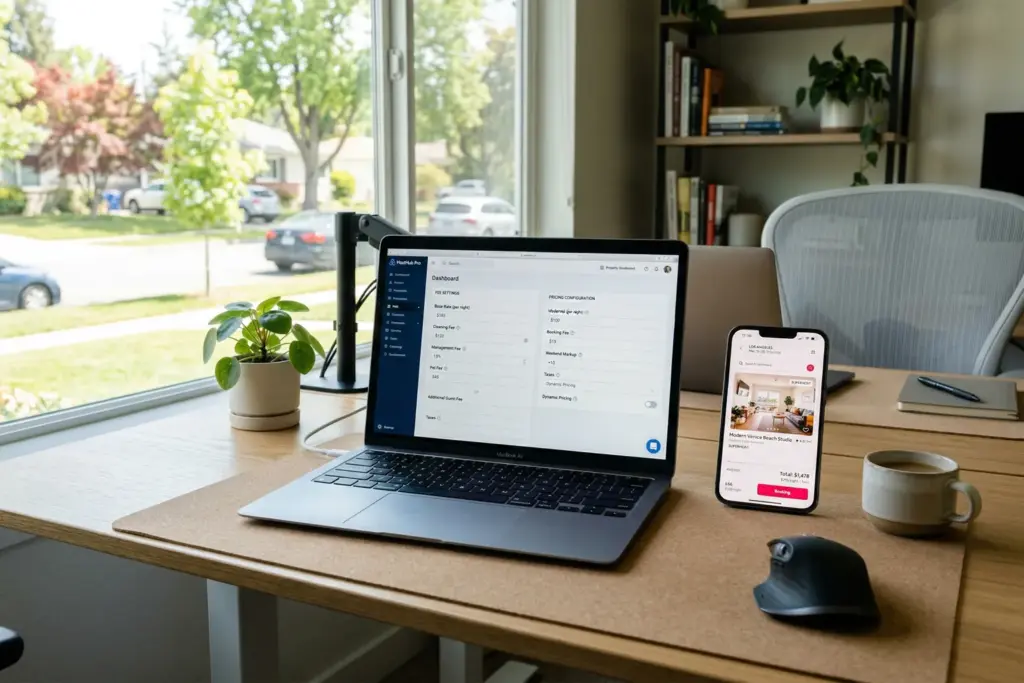
This is where most hosts will need to spend their 20 minutes. Your property management software is the source of truth for fee data that flows to every platform. If your PMS has a cleaning fee set at $150 but you also charge a $50 linen fee that is not entered as a separate line item, the platforms will only display the $150. The guest sees a lower total than what they will actually pay. That is a violation.
Here is what to check in the five most common STR property management platforms.
Hospitable (formerly Smartbnb)
Hospitable is primarily a messaging and automation tool, but it syncs with Airbnb and Vrbo APIs. Fee settings in Hospitable are limited because the platform relies on the fee structures you have set directly on each booking channel.
What to do: Hospitable is not where you configure fees. Go directly to your Airbnb and Vrbo listing dashboards and verify every mandatory fee is entered there. Hospitable will sync pricing but does not override or manage fee line items. If you use Hospitable alongside a channel manager, the channel manager is where fee configuration lives.
OwnerRez
OwnerRez gives you granular control over fee structures. Every fee you create in OwnerRez can be flagged as mandatory or optional, and the platform syncs those labels to connected channels. (Full comparison in our STR channel manager breakdown.)
What to do:
- Go to Settings > Surcharges & Fees.
- Review every fee. For each one, confirm it is marked as “Required” if the guest cannot opt out.
- Check that every required fee has a clear name (not “Misc Fee” or “Other”).
- Under Channel Connections, verify that fee sync is enabled for each connected platform.
- If you use OwnerRez’s direct booking website, confirm that the booking widget displays total price including all fees before the guest enters payment info.
Guesty
Guesty handles fee management through its “Fee Templates” system, which lets you create fee structures and apply them across multiple listings at once. This is powerful for multi-property operators, but it also means a misconfigured template can push bad data to dozens of listings simultaneously.
What to do:
- Go to Financials > Fee Templates.
- Open each template and verify that every mandatory fee is listed and marked as required.
- Check the “Apply to channels” setting. Make sure fee data pushes to all connected platforms, not just select ones.
- For multi-channel listings, run a test search on each platform and verify the total price matches what you expect.
Lodgify
Lodgify combines PMS features with a direct booking website builder. This means you have two places where fee display matters: the channel connections and your own website.
What to do:
- Go to Listings > Pricing > Fees for each property.
- Every mandatory fee should appear here with “Per booking” or “Per night” frequency and a clear label.
- Check your Lodgify-hosted booking website. Search for your own property and confirm the total price (including all fees) appears before the payment page.
- Under channel manager settings, verify fee sync is active for each connection.
Hostaway
Hostaway bundles PMS and channel management into one platform, which simplifies fee sync. Fees configured in Hostaway push directly to connected channels without a separate channel manager in the middle.
What to do:
- Go to Listings > Pricing > Additional Fees.
- Review each fee. Confirm mandatory fees are set to “Always applied” and not “Guest selects.”
- For each connected channel, go to Channel Manager > Mapping and confirm fee mapping is correct.
- Run a test booking flow on each platform and verify the total price includes all Hostaway-configured fees.
Dynamic Pricing Tools: What They Do and Do Not Handle
If you use PriceLabs, Beyond Pricing, or Wheelhouse, you might assume your pricing tool handles compliance. It does not. Here is why.
Dynamic pricing tools adjust your nightly rate. They look at market demand, competitor pricing, seasonality, and local events to recommend or automatically set your base rate per night. They do not touch your fees.
Your cleaning fee, pet fee, or any other surcharge is a separate line item that lives in your PMS or directly on the booking platform. PriceLabs is not going to flag that your $200 cleaning fee is not showing up in Vrbo search results. Beyond Pricing is not going to warn you that your linen surcharge is mislabeled as optional when it is actually mandatory.
The bottom line: Dynamic pricing tools and fee compliance live in different layers of your tech stack. Configure your fees correctly in your PMS, let your pricing tool handle rates, and you will be covered on both sides.
That said, there is one nuance worth knowing. If your dynamic pricing tool adjusts rates so aggressively that your base rate looks artificially low and your fees make up a disproportionate share of the total, guests may feel misled even if you are technically compliant. Some hosts are rolling cleaning fees into the nightly rate entirely to avoid this perception. That is a pricing strategy decision, not a compliance one, but it is worth considering as you audit your setup.
The 20-Minute Compliance Audit Checklist
Here is the step-by-step process to verify your listings are fully compliant. Set a timer. This should not take long if your tech stack is reasonably organized.
Step 1: List every fee you charge (3 minutes). Open a spreadsheet or notes app. Write down every fee guests pay beyond the nightly rate. Cleaning fee, pet fee, linen fee, pool heating fee, early check-in fee. All of them. Mark each one as mandatory or optional.
Step 2: Check your PMS fee settings (5 minutes). Open your PMS. For every mandatory fee on your list, confirm it exists as a separate, correctly labeled, required fee in the system. If a fee is missing or mislabeled, fix it now.
Step 3: Verify channel sync (5 minutes). For each connected booking platform, confirm that your PMS is pushing fee data. Most PMS tools have a “channel sync” or “mapping” section where you can see what data flows to each platform.
Step 4: Search for your own listing on each platform (5 minutes). Open Airbnb, Vrbo, and Booking.com (whichever you use) in an incognito browser window. Search for your property. Look at the price in search results. Does it include all your mandatory fees? If the total looks lower than it should, something is not syncing.
Step 5: Check your direct booking site (2 minutes). If you have a direct booking website through Lodgify, OwnerRez, or a custom site, run through the booking flow yourself. The total price, including all mandatory fees, must be visible before the payment page. If fees only appear at checkout, that is a violation.
Common Mistakes That Will Get You in Trouble
Based on how the rule is written and how enforcement has played out so far (see: Booking.com’s $9.5 million Texas settlement), these are the most likely traps for STR hosts.
- Listing a “cleaning fee” in your house rules but not in the fee fields. Some hosts mention fees in the description text instead of entering them in the structured fee section. Platforms cannot pull text-based fees into the total price display.
- Charging a mandatory fee through a separate payment request. If you collect a pool heating fee via Venmo after booking, that fee was not disclosed upfront. This is a clear violation.
- Labeling a mandatory fee as “optional” to make the listing price look lower. If every guest pays it, it is not optional. The FTC is explicit about this.
- Forgetting to update fees after a PMS migration. Switching from OwnerRez to Hostaway? Your old fee structure may not carry over cleanly. Always re-verify fees after any software change.
- Ignoring your direct booking site. The FTC rule applies everywhere you advertise pricing, not just OTA platforms. Your personal website counts.
Sponsored — Beeline
Finance Your Next STR With a DSCR Loan
Qualify on property cash flow, not W-2 income. Beeline specializes in fast DSCR closings for STR investors. No personal income verification required.
Check Your DSCR Eligibility →Affiliate disclosure: StaySTRA may earn a referral fee.
We do our best to keep our tech reviews accurate and up to date, but products evolve fast and we are only human. Always verify current features and pricing directly with vendors before purchasing.
Frequently Asked Questions
Does the FTC junk fee rule apply to individual STR hosts or just large companies?
It applies to everyone who advertises short-term lodging with pricing information, regardless of size. A single-property host listing on Airbnb is covered just like a 500-unit hotel chain. The rule does not have a minimum property count or revenue threshold.
If Airbnb already shows total pricing, am I automatically compliant?
Only if your fee data in Airbnb is complete and accurate. Airbnb displays a total price based on the fees you entered. If you charge a mandatory fee that is not entered in Airbnb’s fee fields (like a linen surcharge you collect separately), the displayed total is incomplete and you could face enforcement action.
What is the penalty for a first-time violation of the FTC junk fee rule?
The FTC can seek civil penalties of up to $53,088 per violation. There is no reduced penalty for first-time offenders. The rule also allows the FTC to order refunds to affected consumers and require the business to bring its practices into compliance.
Do I need to show taxes in my upfront price?
No. Government-imposed taxes are explicitly exempt from the upfront total-price requirement. You must show all mandatory fees (cleaning, service, pet, resort), but taxes can be disclosed later in the booking flow. Most platforms already handle tax display separately.
Should I roll my cleaning fee into the nightly rate to simplify compliance?
You can, and some hosts are doing this. Rolling fees into the nightly rate eliminates the risk of fee display errors and can improve your listing’s appearance in search results. The tradeoff is that your nightly rate looks higher, which may affect how dynamic pricing tools optimize your rates and how guests compare your listing to others.
The FTC junk fee rule is not going away, and enforcement is already happening. The good news is that compliance is not complicated. It is a one-time audit of your PMS settings, a quick channel verification, and an ongoing awareness that every mandatory fee needs to be visible before the guest clicks “book.” Run the checklist above, fix what is broken, and move on to the work that actually grows your business.
Want to see how your property’s total pricing stacks up against the competition in your market? Run a free analysis with StaySTRA’s STR analyzer and get a data-driven look at your revenue potential with fully transparent pricing.
Become a StaySTRA Insider
Join free — get our newsletter + 1 free property analysis/month.
No spam. Unsubscribe anytime. Free membership includes property analyses and market insights.